
Squash-Push
Simplify your Git workflow by squashing multiple commits before pushing to a remote repository. This extension streamlines the development process and keeps your commit history clean.
Overview
Squash-Push is a Visual Studio Code extension I developed to address a common pain point in Git workflows. It simplifies the process of squashing multiple commits before pushing to a remote repository, making commit history cleaner and more organized without requiring complex Git command sequences.
Branch detection
Automatically identifies your current Git branch and its configuration
Commit listing
Lists local commits that have not been pushed yet
Interactive UI
Clean interface to select a base commit for squashing
One-step operation
Performs the squash operation with a single command
Usage guide
- Open a Git repository in VS Code
- Open the Command Palette (Ctrl+Shift+P / Cmd+Shift+P)
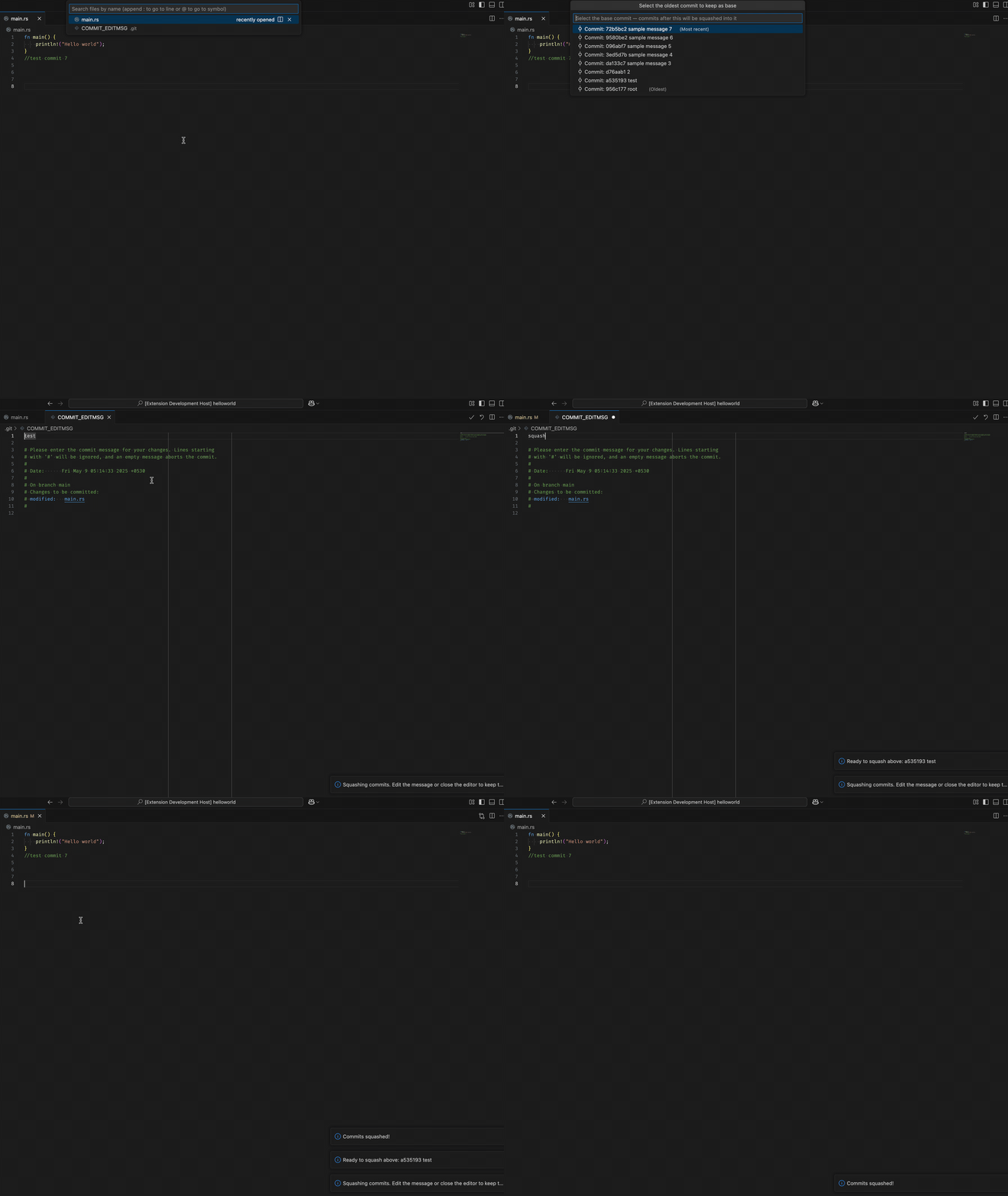
- Type “Squash Local Commits” or “Squash-Push: Squash Local Commits” and select the command
- Select the oldest commit you want to keep as the base for squashing
- The extension will squash your commits and open the commit message editor
- Save your new commit message and push your changes
Squash-Push: Squash Local CommitsRequirements
- Git must be installed and available in your PATH
- VS Code 1.60+
Known limitations
May encounter issues with merge commits
Future plans
Squash-Push is under active development, with several planned enhancements to make Git workflow management even more efficient.
User experience
- Custom commit message templates
- Auto-push option after squashing
- Undo squash operation
Technical enhancements
- Support for multiple workspace folders
- Interactive rebase option
- Branch protection rules
Installation
- Launch VS Code
- Go to Extensions view (Ctrl+Shift+X / Cmd+Shift+X)
- Search for “Squash-Push”
- Click Install
Technical details
Squash-Push is built using the VS Code Extension API and implements Git operations through utility functions that integrate with VS Code UI components.
- execGitCommandExecutes Git commands and returns results as promises
- getCurrentBranchGets the name of the current Git branch
- getCurrentUpStreamBranchDetermines the upstream branch for the current branch
- getLocalCommitsRetrieves a list of local commits
- hasParentChecks if a commit has a parent commit
- showCommitSelectionsDisplays UI for selecting commits
- getCommitIDExtracts and validates the selected commit ID